Visual + AI editing for your website
Less handoff.
More hands-on.
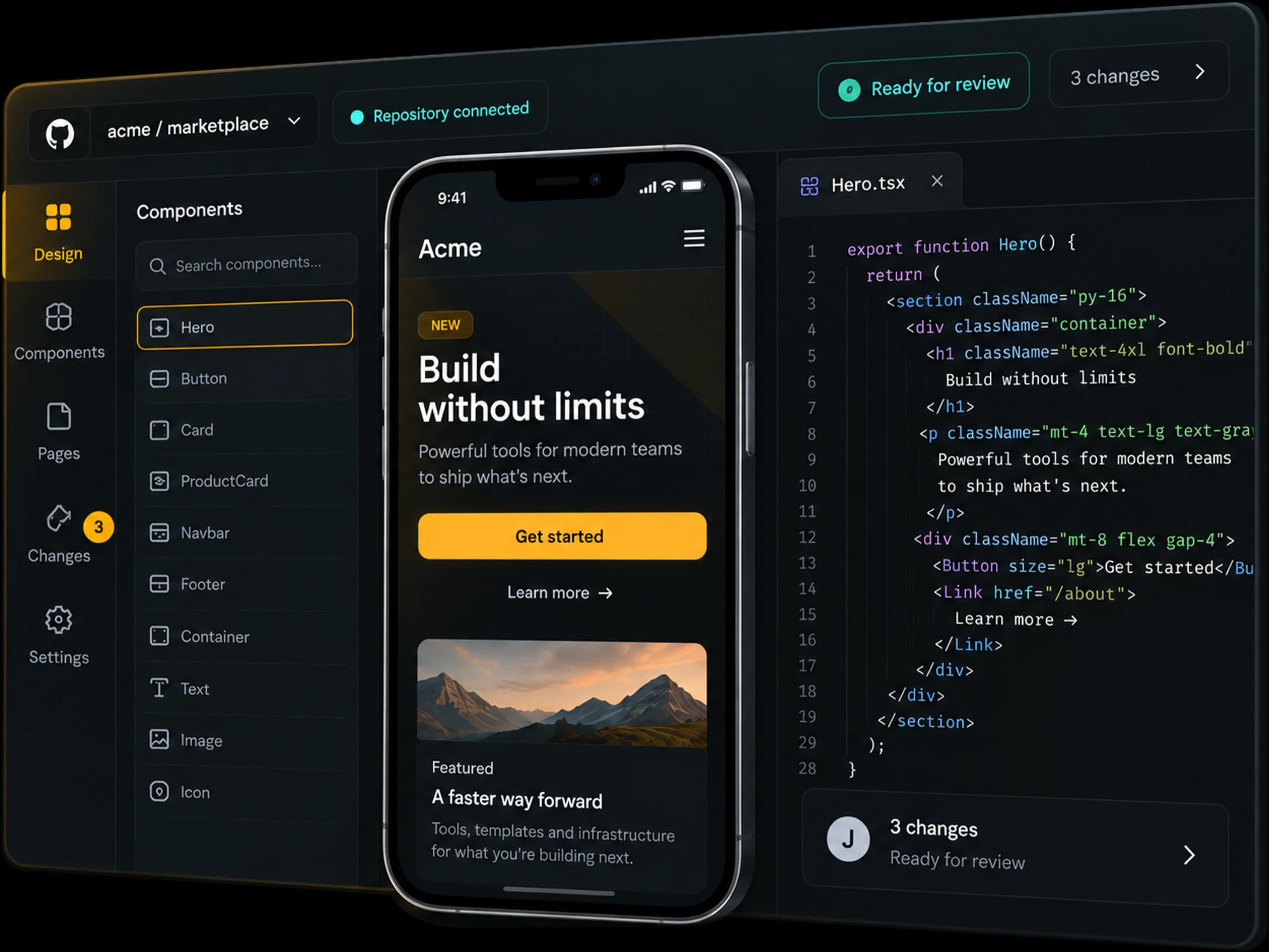
Edit your existing website without writing code. Connect your repository, change the real interface on phone or web, and send it to your developer for review.
Free trial. No card needed. Bring a dev to handle setup.
Your code. Your starting point.
Connect the product you already have.
A shorter path to the right design.
Edit visually or describe the change.
Built for working together.
Keep developer review in the loop.
A more direct way to work
From “what if”
to “look at this.”
- 01 / CONNECT
Bring your own starting point.
Connect GitHub, GitLab or Bitbucket, or use Bring a dev to let someone set it up for you. Your developer chooses what can be changed.
- 02 / CREATE
See it. Change it. Try it.
Select an element, adjust its design, or describe what you want. See your changes in a preview of the actual product.
- 03 / COLLABORATE
A better handoff, built in.
When it feels right, send your changes for review. Your developer gets a pull request with the real code, ready to check.
Space to experiment
Explore in a private workspace, separate from the live site. Confirmed editor changes are saved in your history, even when a temporary preview expires.
Only what you're allowed to touch
Your developers decide which parts are yours to change. The rest simply isn't editable.
Someone always reviews it
Your changes go to a developer to approve, the same way theirs do. Nothing goes live on its own.
The full picture — isolation, scoped access, how secrets are handled — is on the engineering page.
Pricing
Start with a real edit.
Grow with your team.
Two budgets: AI to make changes, workspaces to run your preview. Work pauses at the limit. There are no automatic overages.
Early access: the free trial is open. Paid subscriptions and top-ups are not available yet.
Free
Try it on one of your own projects.
- Use your existing repository
- One-time $0.50 AI + $0.50 workspace budget
- Click to edit, or just describe it
- Live preview on any device
- Send your changes for developer review
Pro
For teams with a frontend bottleneck.
More budget for ongoing work:
- Budgets pooled across your team
- $3 workspace budget per paid editor / month
- $5 AI budget per paid editor / month
- Monthly budgets renew after payment
- Manual top-ups with an admin spending cap
A team of three editors
$87/month, with a shared $15 AI budget and $9 workspace budget. Monthly included budgets expire at renewal.
Optional prepaid top-ups
A $10 pack adds $4 AI and $2 workspace budget. An admin chooses each purchase and can set a monthly top-up cap.
Trial budgets are one-time per eligible verified account, not per team. Workspace capacity is charged when a session starts and includes build time, up to one hour of compute and 24-hour temporary disk retention. AI reserves enough budget before running, then settles actual usage. Request counts vary with the model, context and change size. Your own AI connection has separate provider charges and still needs a workspace budget.
Before your first edit
A few things you might be wondering.
Do I need to know how to code?
No. Select an element and adjust it visually, or describe the change to AI. You do need access to an existing website repository. If someone else manages that, use Bring a dev to create a setup link for them.
Can I use my existing GitHub, GitLab or Bitbucket project?
Yes. Connect a GitHub App installation, or ask your developer to set up a GitLab or Bitbucket connection. Revise detects the stack and creates a separate preview. Custom services and private dependencies may need developer configuration.
Can I edit from my phone?
Yes. The workspace runs in the cloud, so you can preview and request changes from a phone or a computer. A larger screen is useful for detailed code review and layout work.
Will an edit change my live website?
Revise works in a separate preview. When you choose Send for review, it creates a pull or merge request. Your developer reviews and merges it through your usual workflow. Revise does not automatically publish the change.
Do I need an AI API key?
No. Eligible verified accounts receive a one-time trial AI budget to use Revise AI. Your team can also configure its own AI connection in Settings. Your own provider handles its charges and limits; it does not remove the workspace budget requirement.
What happens when my budget or preview session runs out?
New AI requests or workspace sessions pause when the required budget is unavailable. A workspace session covers up to one hour, including setup; temporary disks expire after 24 hours. Confirmed editor changes remain in history. Temporary database data and files created outside the editor are not retained. There are no automatic budget top-ups.
Made for what comes next
Your next idea deserves a real first draft.
Connect a project, explore what’s possible, and give your team something they can build on.
